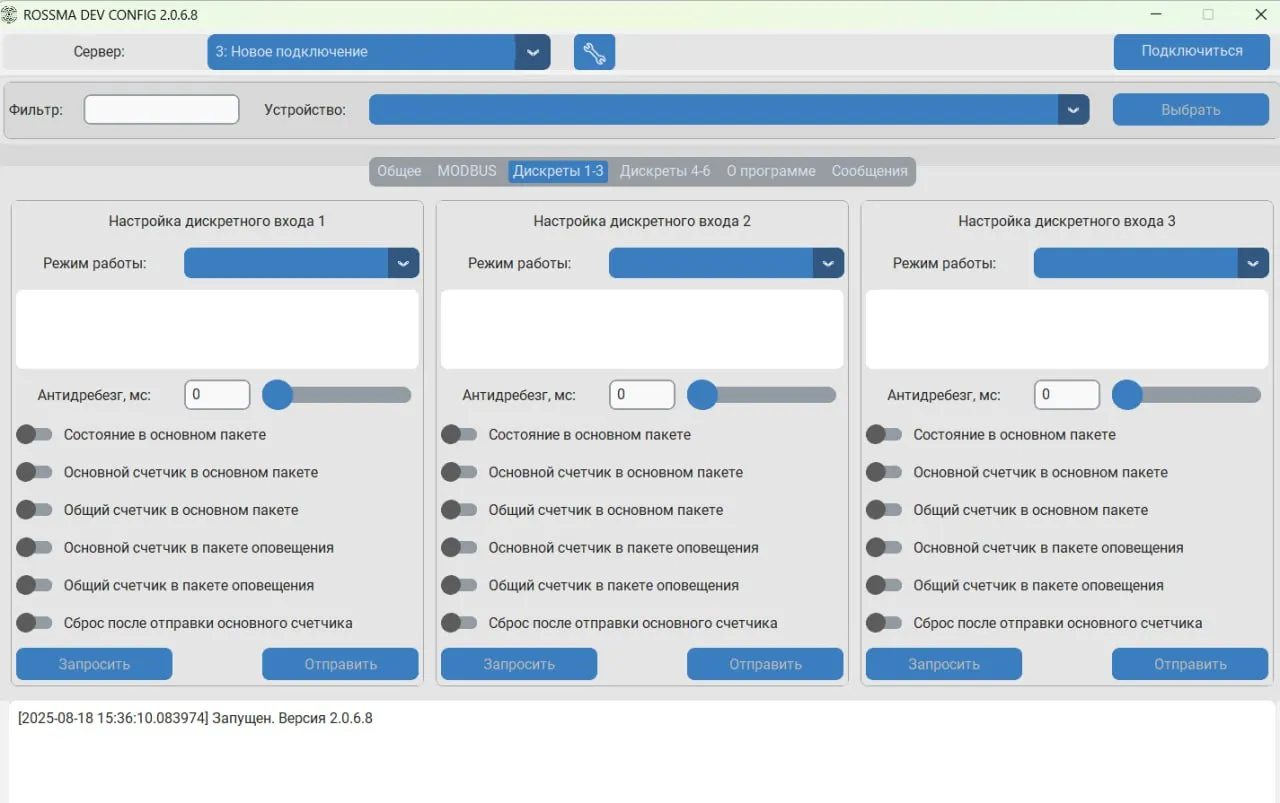
Окно программы ROSSMA IIOT-AMS Device Configurator
Software Product ROSSMA IIOT-AMS Device Configurator
The software product allows remote configuration and obtaining information about ROSSMA IIOT-AMS equipment status using the IoT/IIoT network server API.
Overview
Features
Detailed program instructions are available on ROSSMA.WIKI in the “Software” section.
Documentation
User Manual Open in Wiki ↗
Description
This guide is intended to familiarize users with the main functions and capabilities of the ROSSMA IIOT-AMS Device Configurator software. The program allows remote configuration and obtaining information about ROSSMA IIOT-AMS equipment status using the LoRaWAN network server API.
Main program functions:
- Change device communication intervals.
- Request signal quality in LoRaWAN and NB-IoT networks.
- Configure Modbus protocol parameters
- Configure device discrete inputs
- Select profiles for polling technological devices connected to ROSSMA IIOT-AMS MODBUS switch.
- Display sent and received commands in program console.
Software updates are available on the official website www.rossma.ru in the "Product Information" section.
LoRaWAN Network Server Connection Setup
To configure connection list, click the "wrench" icon in the main program window

Figure 1. ROSSMA IIOT-AMS Device Configurator interface
1.1. Create new or select existing server connection
1.2. Select network server type.
Currently supported LoRaWAN network server APIs:
- IOT Vega Server
- ROSSMA NETS
1.3. Fill in network server connection data
1.4. Click save
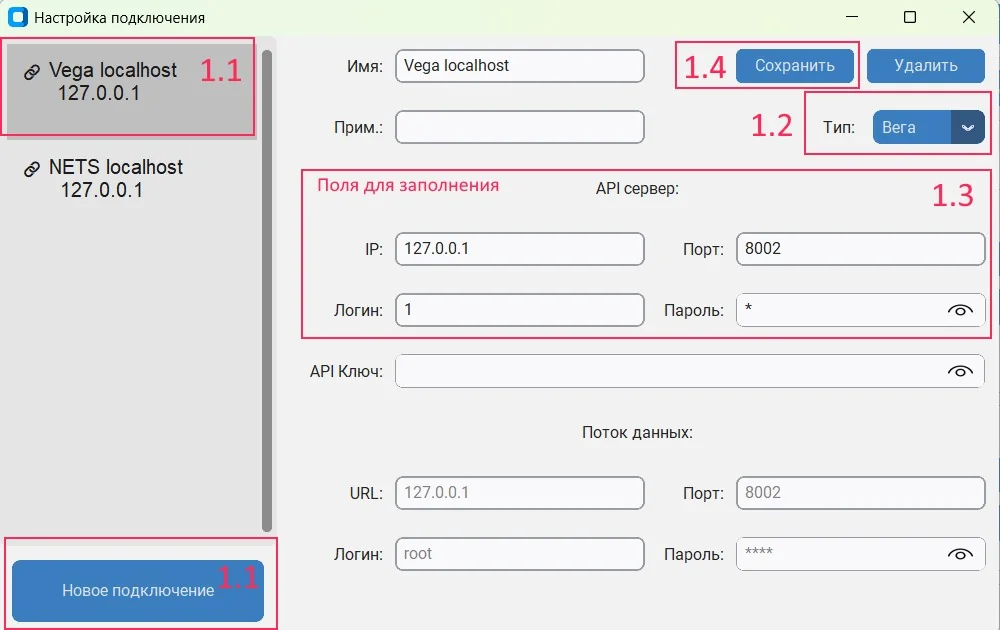
Figure 2. LoRaWAN network server connection settings

Figure 3. Server connection configuration interface
General Settings

Figure 4. General settings configuration panel
Custom Modbus Profile Configuration

Figure 5. Custom Modbus profile configuration interface
Note:
- After changing settings in any block, click the Send button to save changes to device (until reboot).
- After completing all parameter settings, click the Save button to permanently save selected settings.
Discrete Input Configuration

Figure 6. Discrete input configuration settings
ROSSMA IIOT-NETS LPWAN Network Server
Main program functions:
- Changing device communication intervals.
- Requesting signal quality in LoRaWAN and NB-IoT networks.
- Configuring Modbus protocol parameters
- Configuring device discrete inputs
- Selecting profiles for polling technological devices connected to ROSSMA IIOT-AMS MODBUS switching device.
- Displaying sent and received commands in the program console.